
Real AI systems we've designed and shipped
Not mockups — working systems, with screenshots of what our clients actually see. Here's what each one is, what it does, why it's valuable, and the real problems it solves.
Inside our AI Lead Generation System
A step-by-step look at what the system does once it's built and running for a business.
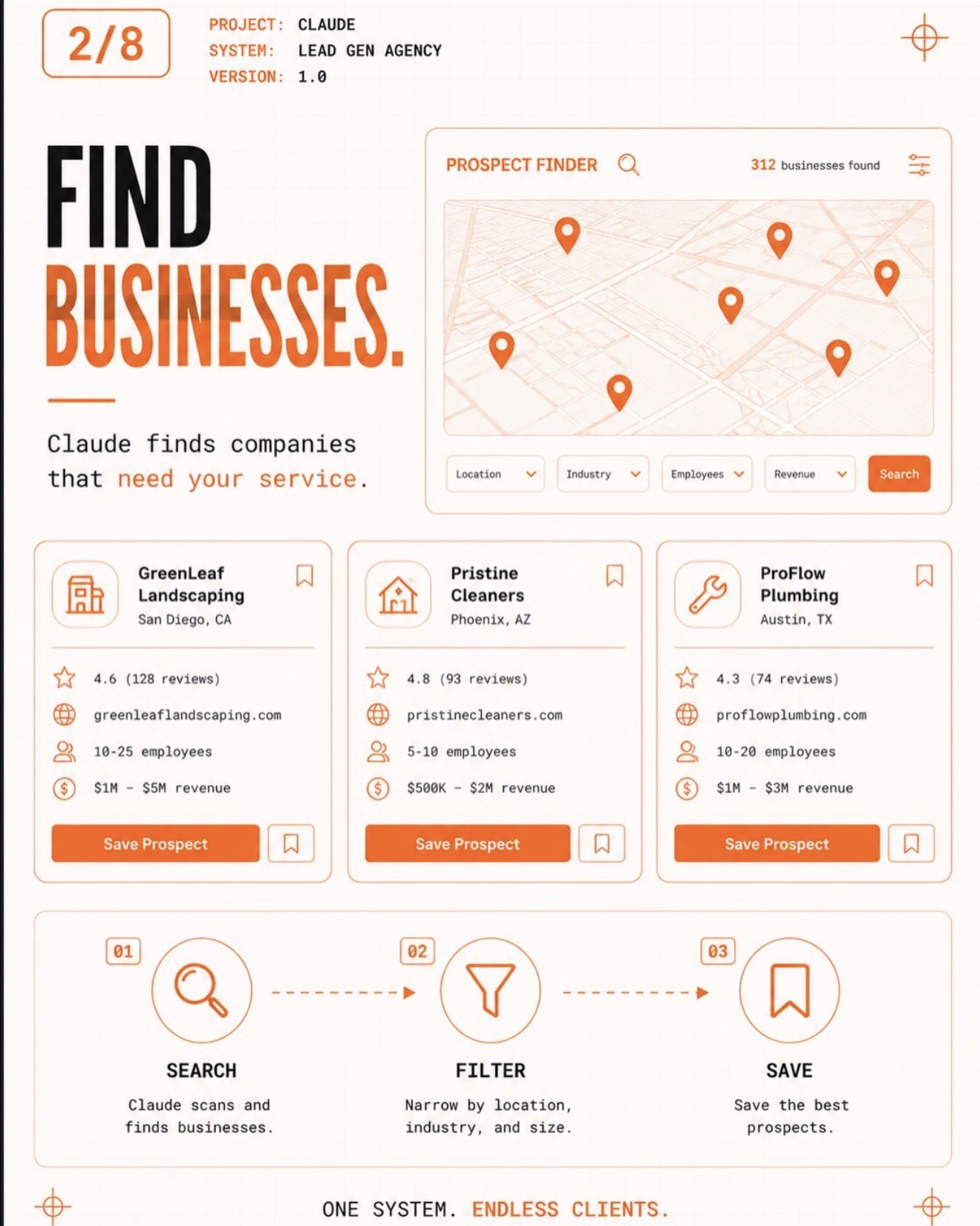
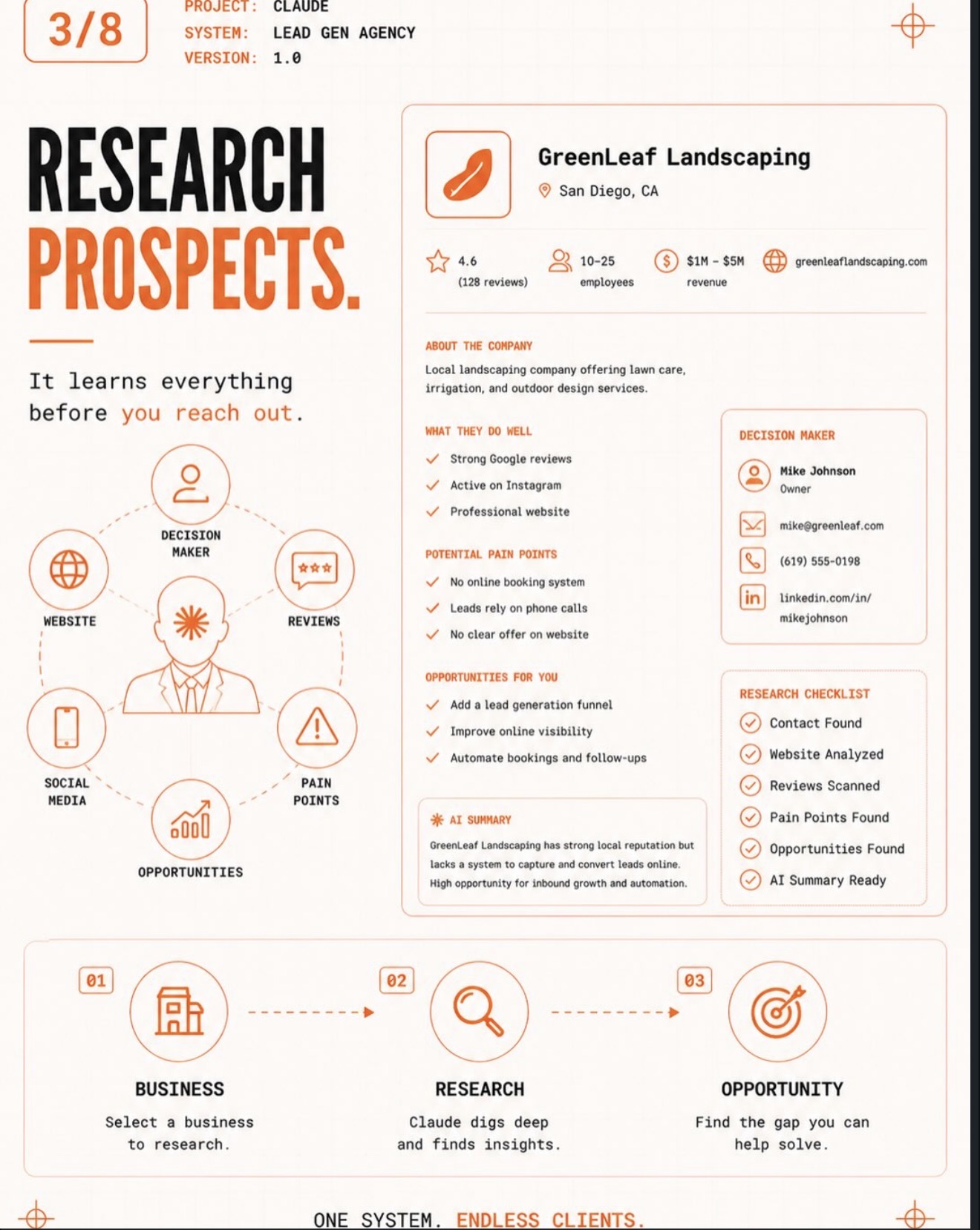
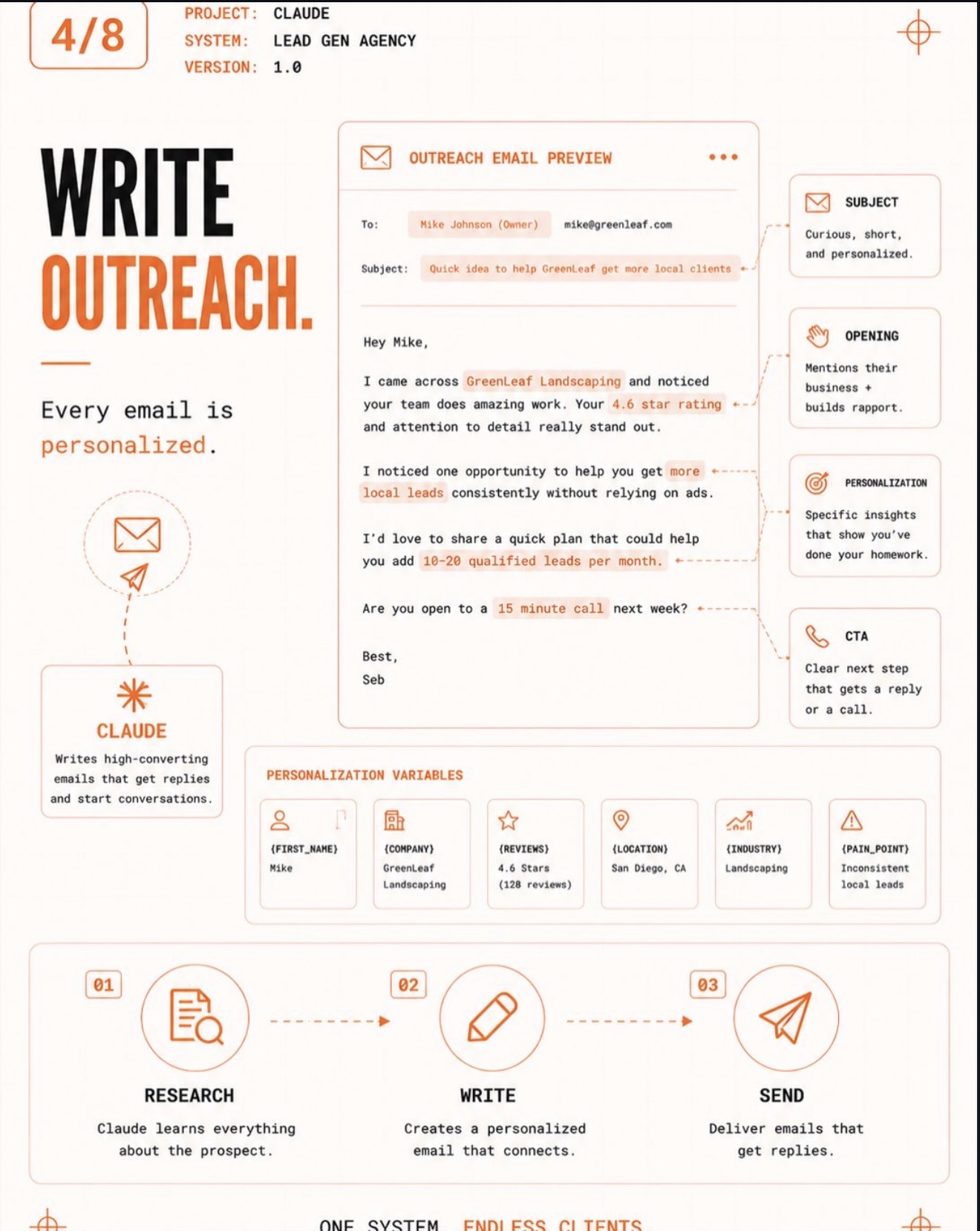
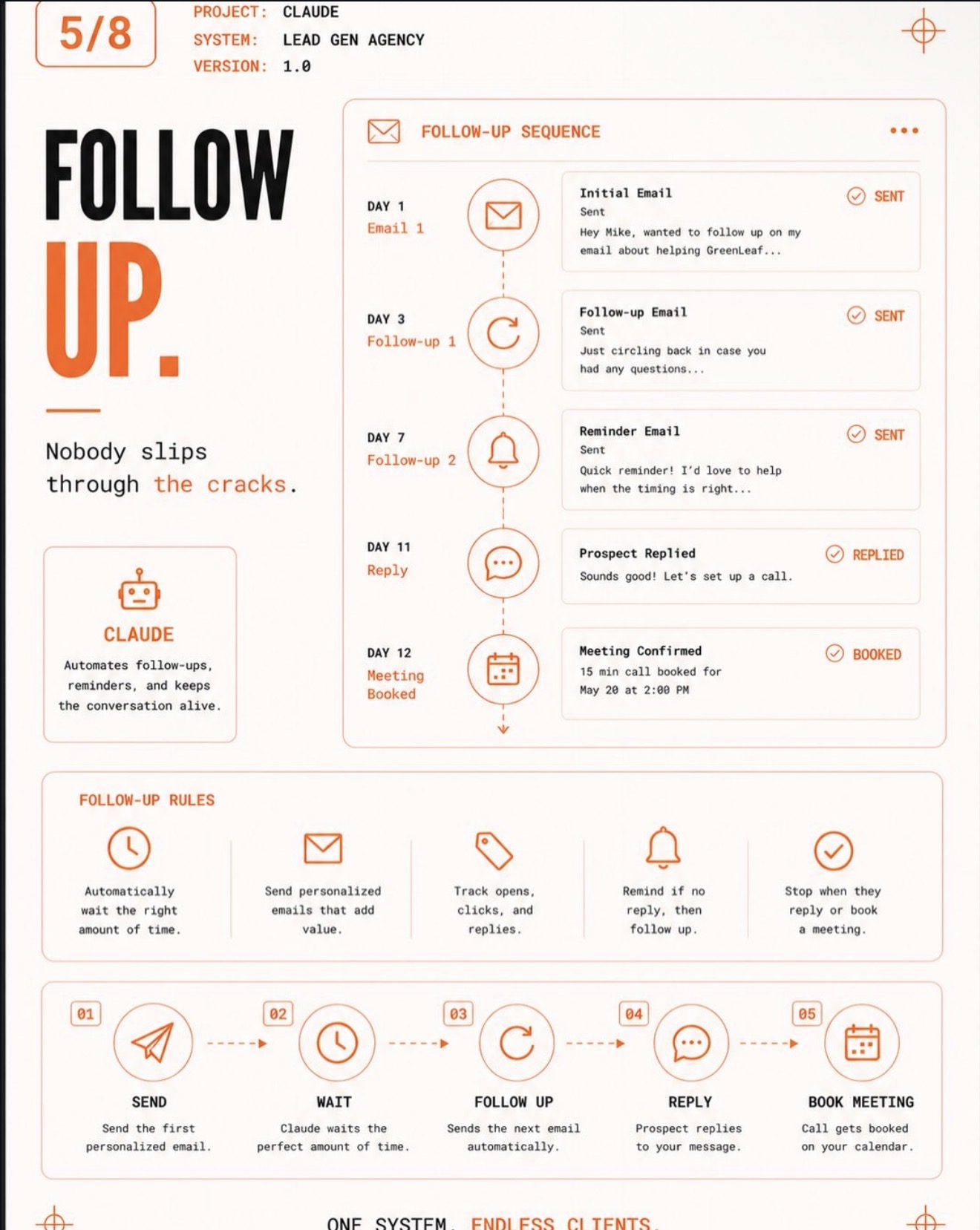
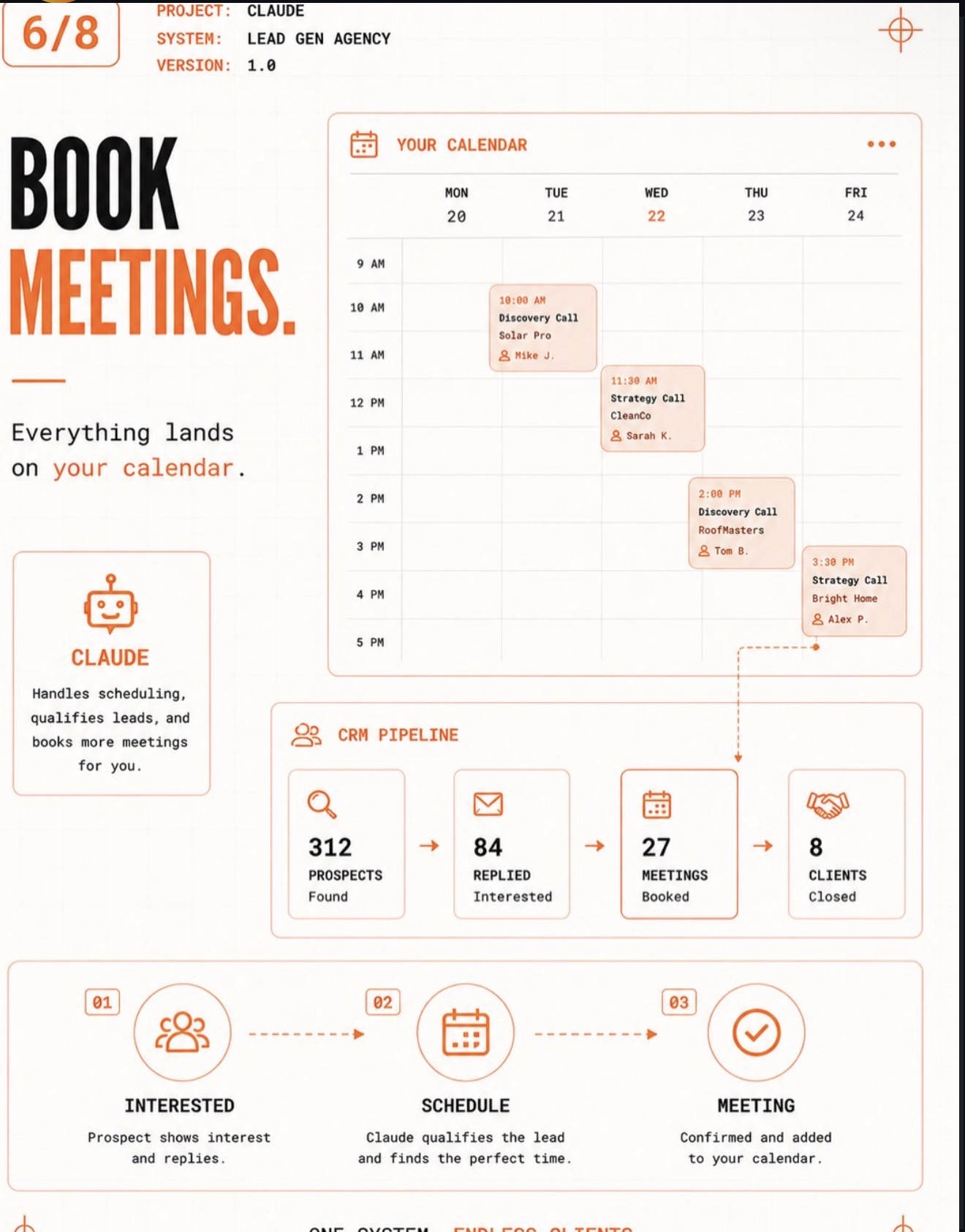
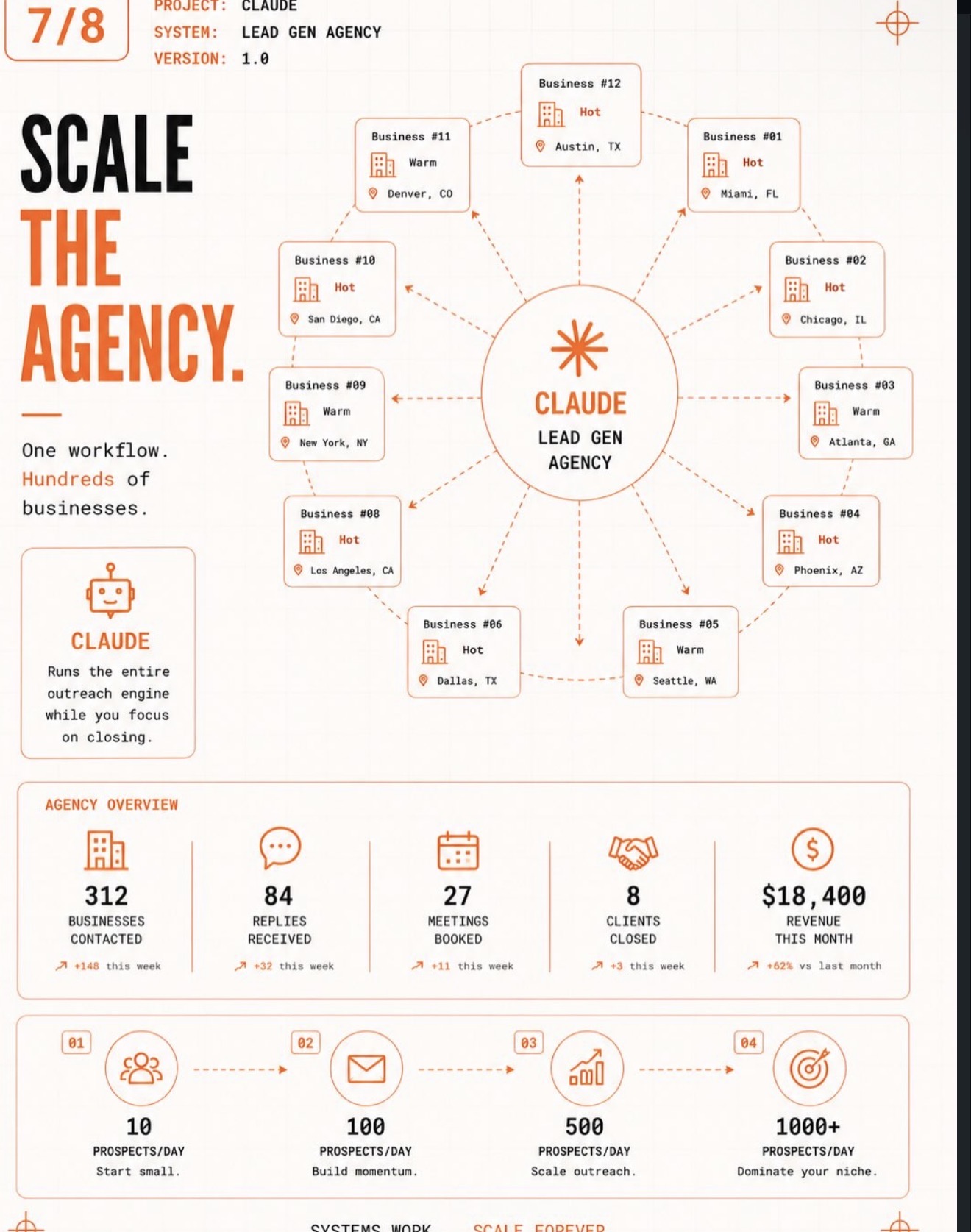
This is what happens after the build is finished and the system is switched on. It finds businesses that match who you sell to, researches each one before anybody makes contact, writes and sends outreach personalized to that specific company, then follows up on its own schedule until the prospect replies. Interested prospects get booked straight onto your calendar, and every step is tracked so you can see exactly what's working. The screens below walk through that process from first search to closed client.
OpsBrain — AI Operations Command Center
An internal AI ops layer that reads every tool a business already uses and tells the owner what actually matters — before they've finished their coffee.
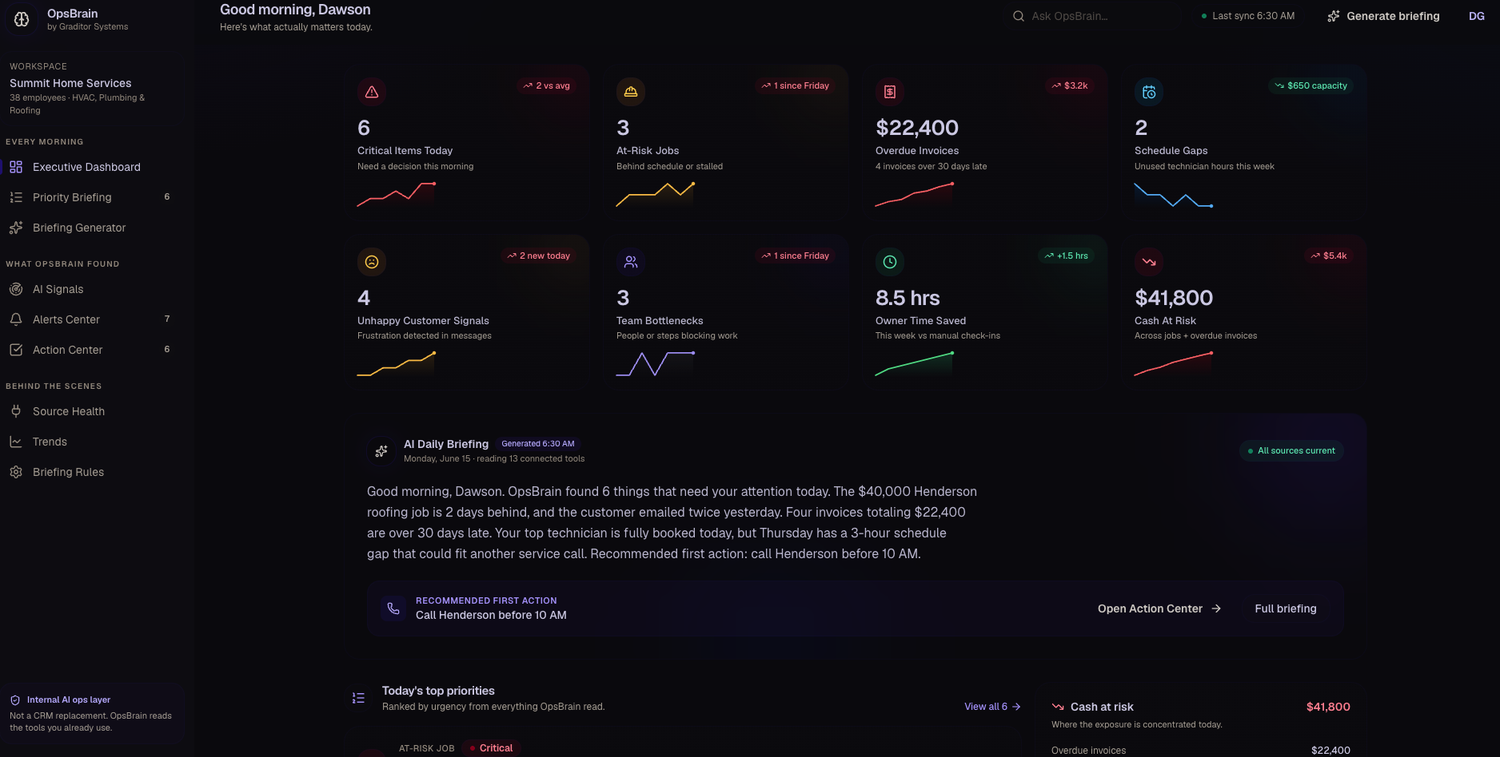
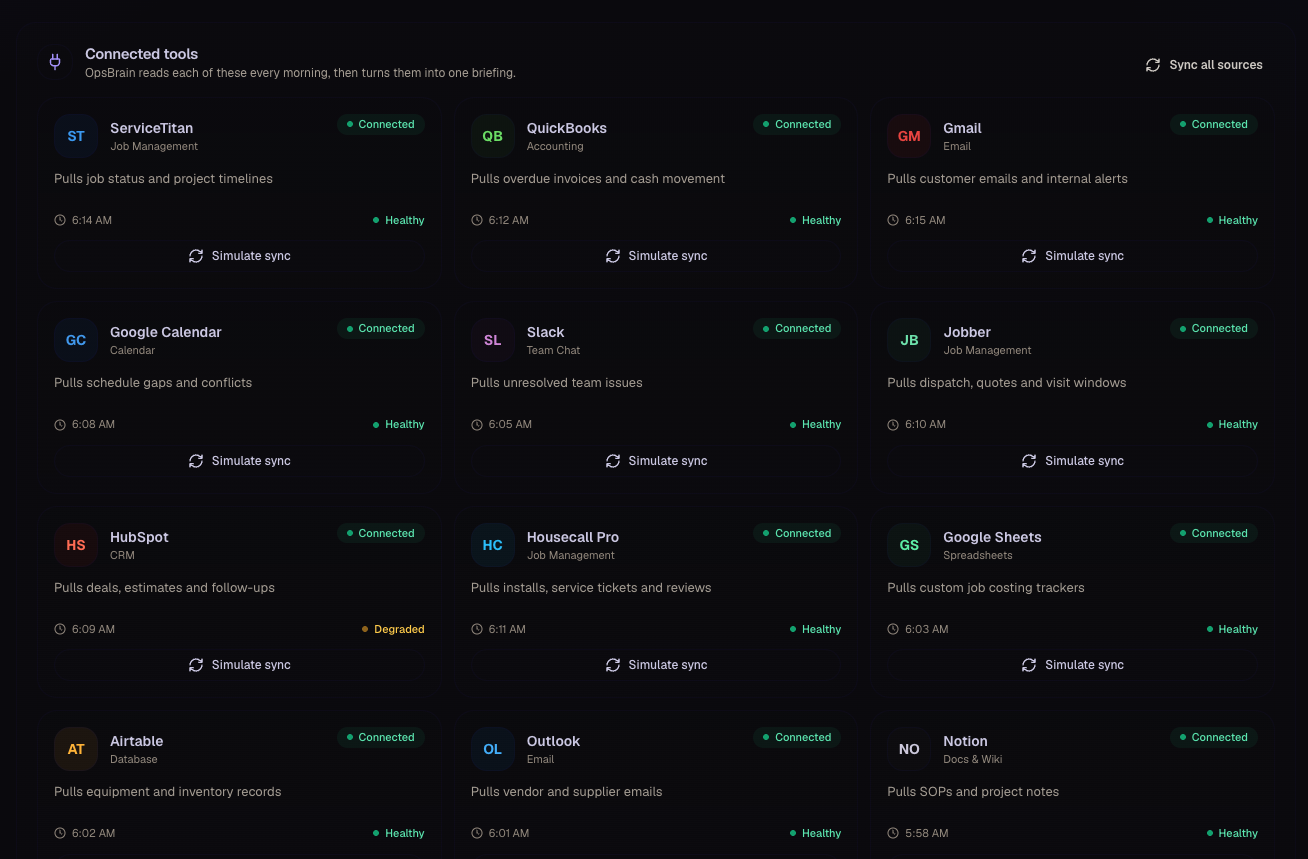
OpsBrain is a custom AI operating system we built for a multi-trade home-service company. It doesn't replace the CRM or job software — it sits on top of all of it. Every morning it reads 13+ connected tools, then writes one short, prioritized briefing in plain English so the owner knows exactly where the money, the risk, and the bottlenecks are for the day.
What it is
A private 'AI chief-of-staff' that connects to the systems a business already runs — ServiceTitan, QuickBooks, Gmail, Google Calendar, Slack, Jobber, HubSpot, Housecall Pro and more — and unifies them into one command center.
What it does
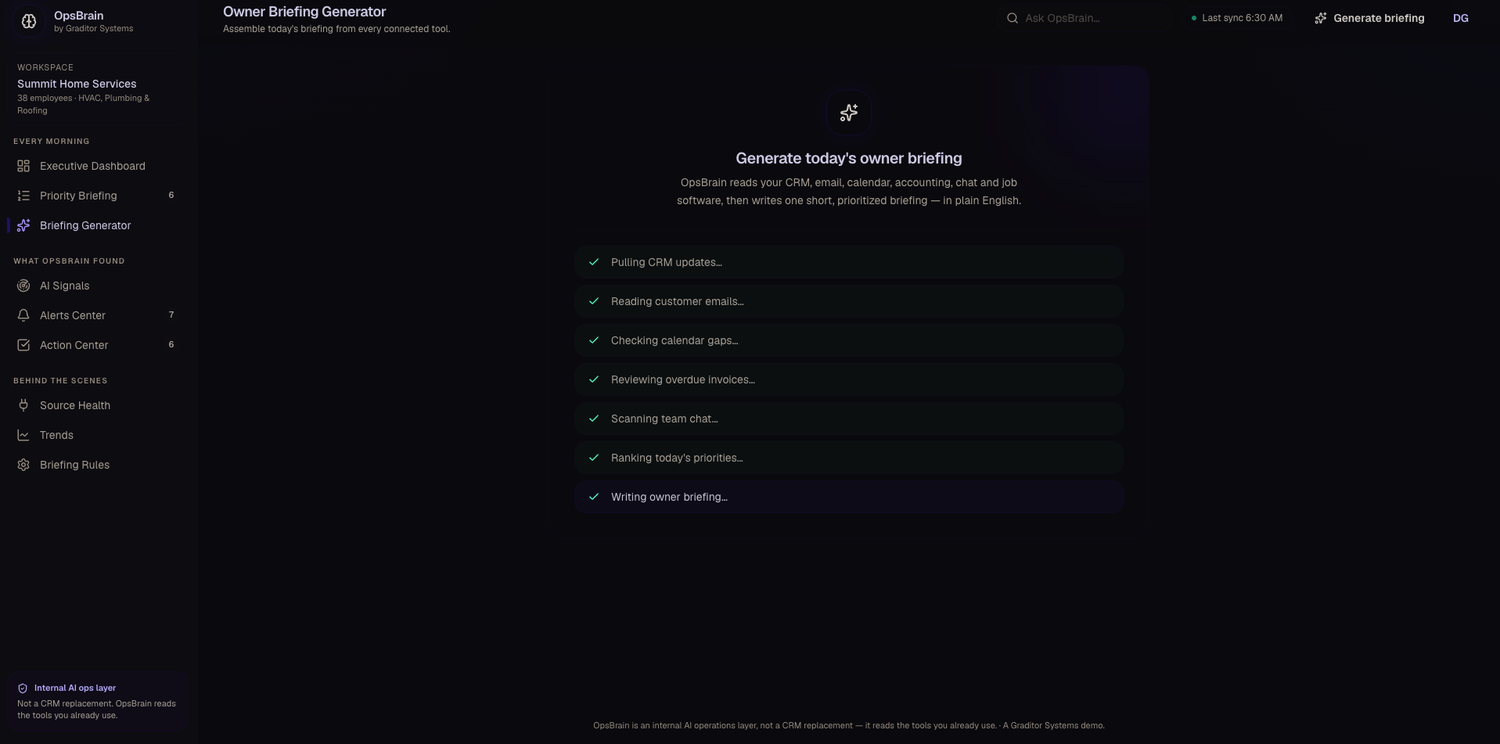
At 6:30 every morning it pulls CRM updates, customer emails, calendar gaps, overdue invoices, and team chat, ranks the day's priorities, flags at-risk jobs, cash at risk, unhappy-customer signals and team bottlenecks, and recommends the single most important first action.
Why it's valuable
Instead of checking a dozen dashboards, the owner gets a 30-second read on the whole business — and hours back every week. In the live demo it's already saving 8.5 hours a week versus manual check-ins.
Problems it solves
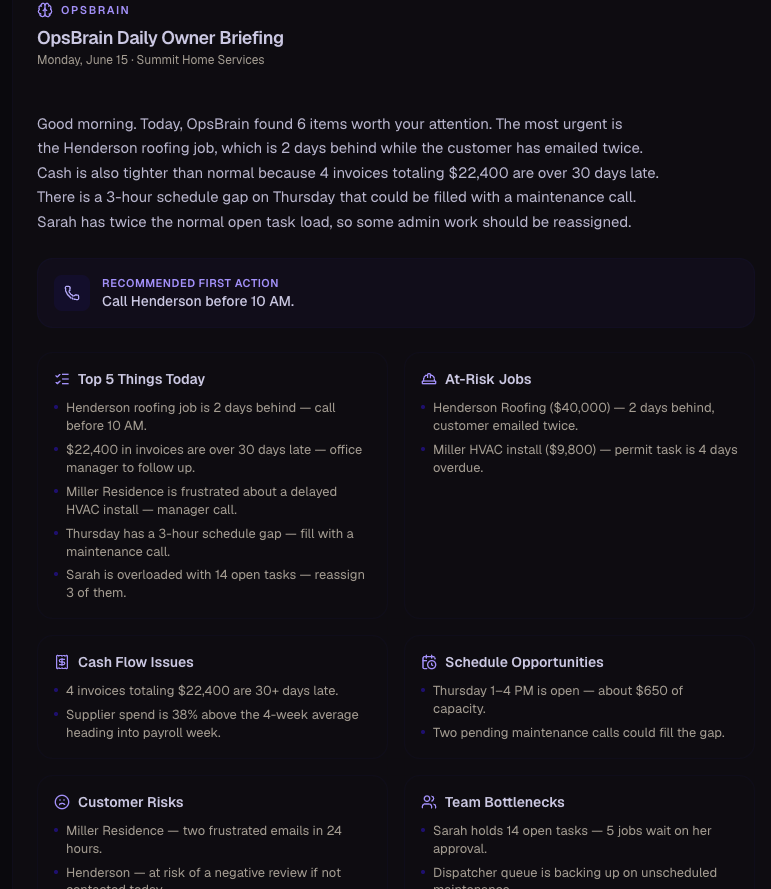
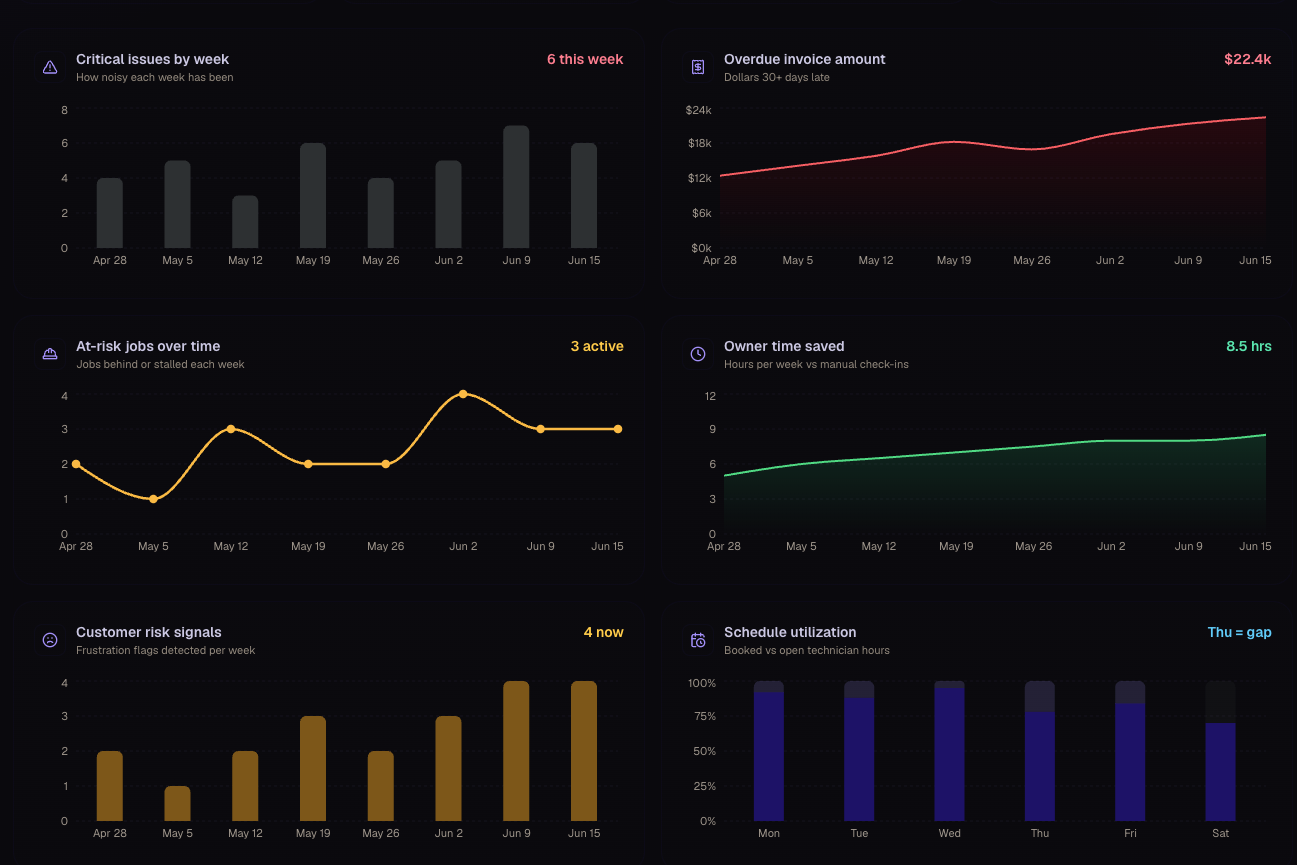
No owner can watch every tool, so the expensive problems — a stalled $40k job, $22k in overdue invoices, a frustrated customer about to leave a bad review — surface too late. OpsBrain catches them first thing and says what to do about them.
What's inside
- Executive dashboard — critical items, at-risk jobs, overdue invoices, schedule gaps and cash at risk at a glance
- AI daily briefing — one plain-English summary with a recommended first action
- Ranked priorities — everything it read, sorted by urgency
- Connected-tool source health — see what synced and what's degraded
- Trends — how issues, overdue cash and owner time saved move week over week
AI Lead Generation System
An automated prospecting engine that hunts for new leads overnight, scores them, and emails the team a ranked shortlist before anyone opens a laptop.
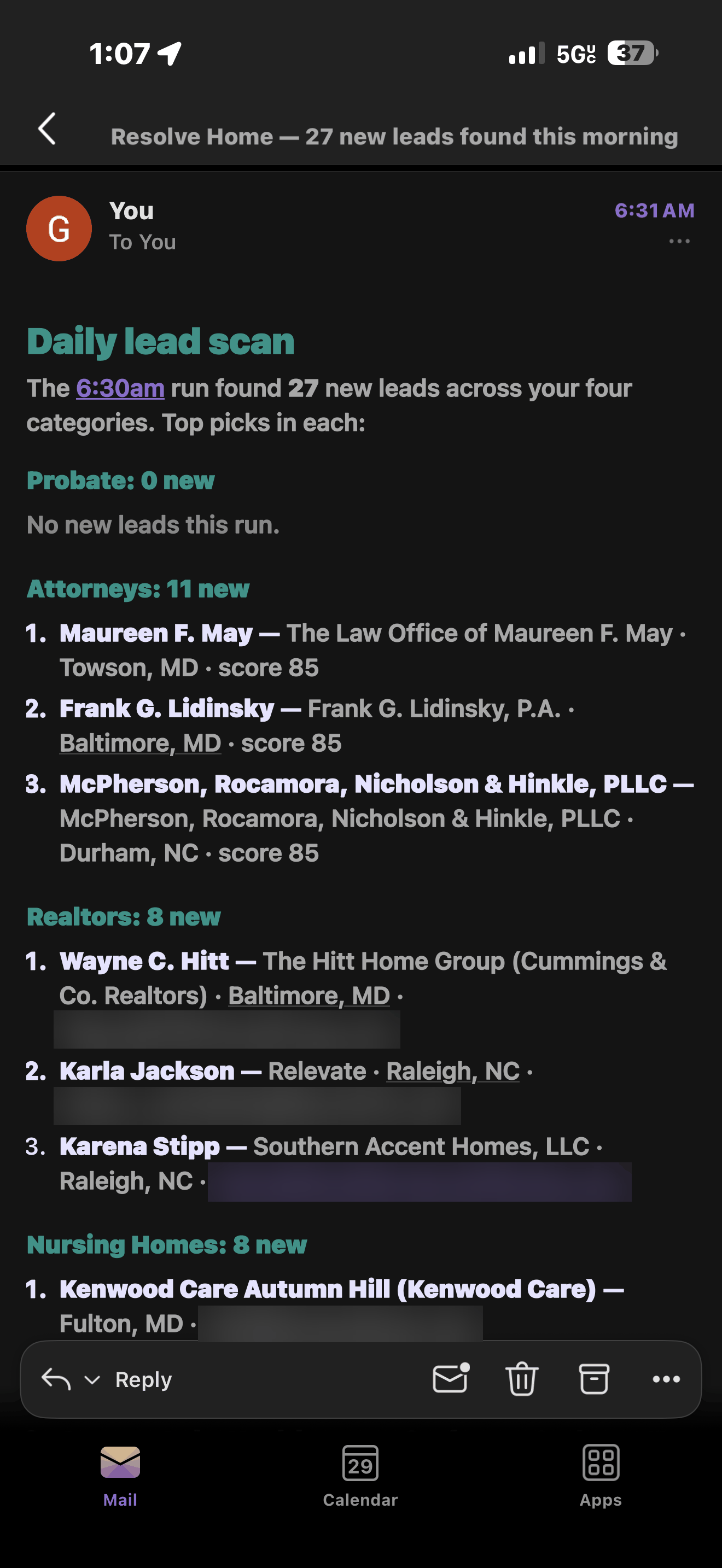
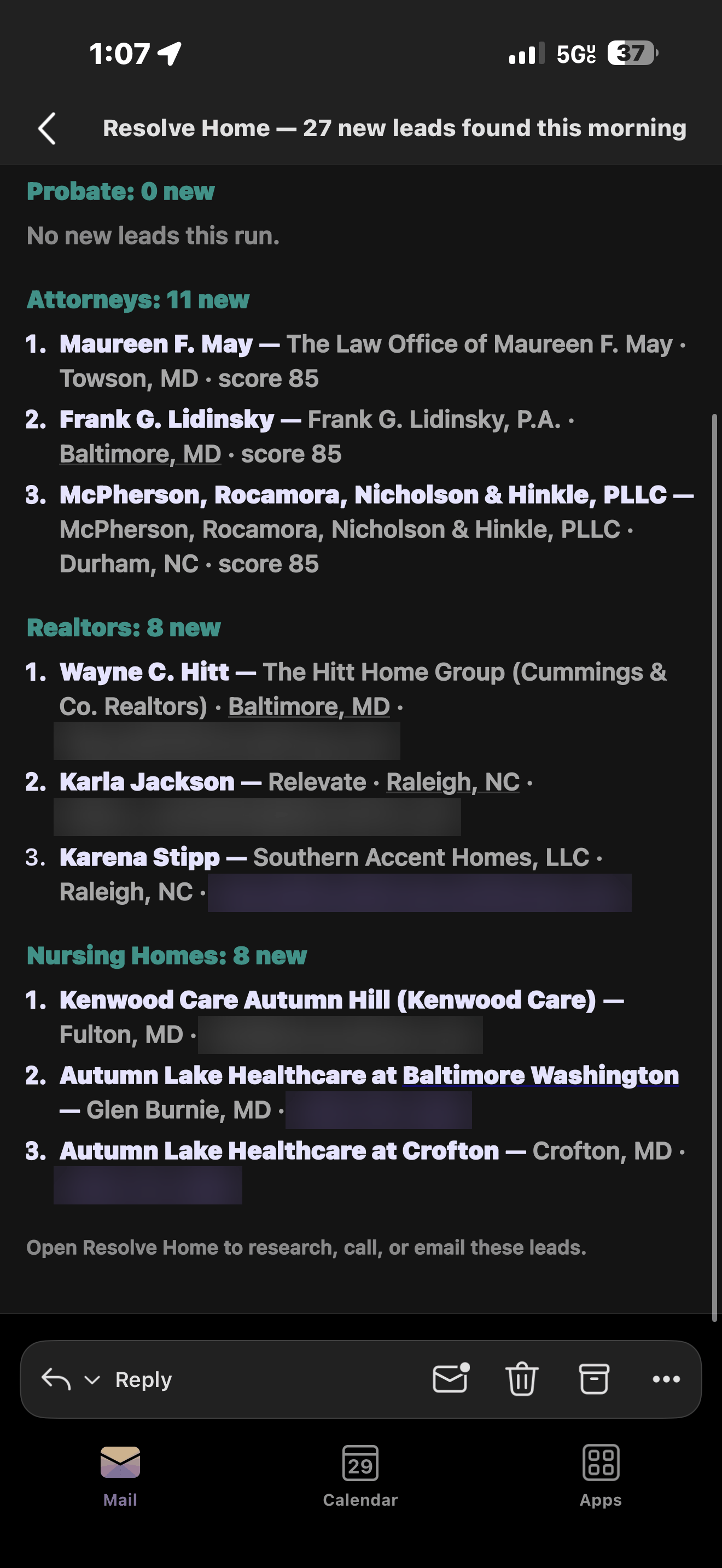
This is a live lead-generation system running for a home-services client. Every morning at 6:30 it works the sources that actually matter to their business — probate filings, attorneys, realtors and nursing homes — finds who is new since yesterday, scores each one on fit, and sends the owners a single email with the day's count and the top picks in every category. There's no dashboard to check and no list to sort: the leads arrive already found, scored and ranked, with contact details attached.
What it is
A daily prospecting engine that monitors a business's real lead sources, filters out everyone it has already surfaced, scores each new contact on fit, and delivers a ranked shortlist straight to the inbox.
What it does
Runs an automated scan every morning before the workday starts, sorts what it finds into the client's four lead categories, ranks each lead with a fit score, attaches the contact details it found, and writes one plain-English digest — including the categories that came back empty, so the team knows the scan actually ran.
Why it's valuable
The team opens the day with a ranked call list instead of a research project. Prospecting happens on schedule whether or not anyone has time for it, the best-fit leads are worked first, and nobody burns an hour re-finding a lead the system already surfaced last week.
Problems it solves
Manual prospecting is the first thing that gets dropped in a busy week, and the lists that do get built are stale, duplicated, or never prioritized. This makes new-lead discovery automatic, consistent and ranked — so the follow-up starts at the top of the list instead of at the top of a spreadsheet.
What's inside
- Daily automated scan — runs at 6:30am with nobody logging in
- Four tracked lead categories, each counted and reported separately
- Fit scoring on every lead, so the strongest prospects surface first
- Contact details attached — email or phone, ready to work immediately
- Only genuinely new leads reported — anything already surfaced is filtered out
- Honest empty states — a category with nothing new says so, so a quiet morning is never mistaken for a broken scan
See what AI could do for your business
Get a free AI audit. Tell us about your business and we'll show you the highest-impact systems we could build — from recovering revenue to saving hours to making sharper decisions. No obligation.